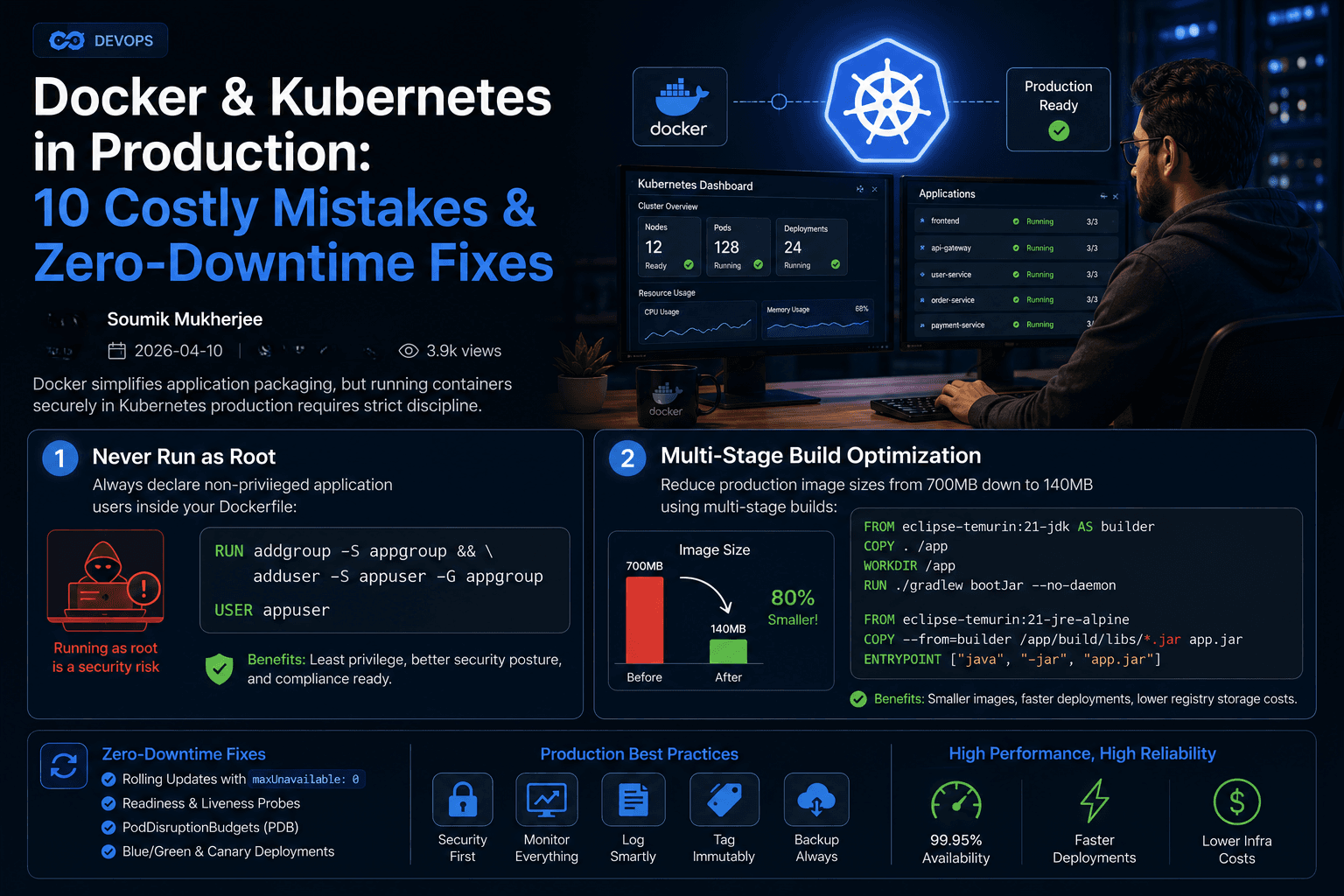
Docker simplifies application packaging, but running containers securely in Kubernetes production requires strict discipline.
Why Containers Fail in Production
Most production incidents from containers are not Docker bugs — they are decisions made at the Dockerfile and manifest layer. Here are the ten costliest mistakes and their zero-downtime fixes.
1. Never Run as Root
Always declare non-privileged application users inside your Dockerfile:
RUN addgroup -S appgroup && adduser -S appuser -G appgroup
USER appuser
Root in a container is still root on the host kernel. Pair this with a read-only root filesystem and a non-root SecurityContext in Kubernetes.
2. Multi-Stage Build Optimization
Reduce production image sizes from 700MB down to 140MB using multi-stage builds:
FROM eclipse-temurin:21-jdk AS builder
COPY . /app
WORKDIR /app
RUN ./gradlew bootJar --no-daemon

FROM eclipse-temurin:21-jre-alpine
COPY --from=builder /app/build/libs/*.jar app.jar
ENTRYPOINT ["java", "-jar", "app.jar"]
Smaller images mean faster pulls, less attack surface, and quicker cold starts during scale events.
3. Always Pin Your Base Images
Never rely on mutable tags like latest or alpine. A rebuild can silently pull breaking or compromised packages.
FROM eclipse-temurin:21-jre-alpine@sha256:9b8a...- Pin by digest for reproducibility.
- Scan images with Trivy or Grype in CI.
- Enforce signatures with Cosign before deployment.
4. Define Health Checks
A container that fails to respond is still "Running." Kubernetes needs explicit signals:
- Liveness probe: restart the container when it deadlocks.
- Readiness probe: remove the pod from service endpoints while it warms up.
- Startup probe: give slow-booting workloads time before liveness kicks in.
readinessProbe:
  httpGet:
    path: /actuator/health
    port: 8080
  initialDelaySeconds: 5
  periodSeconds: 10
5. Set Resource Requests & Limits
Without limits, one noisy neighbor can starve a node:
resources:
  requests:
    cpu: 250m
    memory: 512Mi
  limits:
    cpu: "1"
memory: 1Gi- Requests reserve capacity and drive the scheduler.
- Limits stop runaway usage — but leave headroom for JVM and runtime overhead.
6. Configure Pod Disruption Budgets
A rolling cluster upgrade can kill every replica of a critical service at once. A PodDisruptionBudget guarantees minimum availability:
apiVersion: policy/v1
kind: PodDisruptionBudget
metadata:
  name: orders-pdb
spec:
  minAvailable: 2
  selector:
    matchLabels:
      app: orders
7. Use Proper Image Tagging
Tags like latest or v1 create ambiguity during rollback. Encode the git SHA:
registry.example.com/orders:2f3a9c1bImmutable tags make "what is running in production" a question you can answer in seconds.
8. Never Store Secrets in the Image
Environment variables baked at build time are recoverable by anyone with image access. Use native secrets:
envFrom:
  - secretRef:
      name: app-secrets
Rotate via managed secret stores (Vault, cloud KMS, or the cluster's native secrets) and never commit them to source control.
9. Zero-Downtime Deployments
Rolling updates are the baseline, but you need the right strategy to avoid blips:
- Set
maxUnavailable: 0andmaxSurge: 1during deploy. - Wait for readiness before promoting the new version.
- Use a canary with 5-10% traffic for risky changes.
- Keep the previous image digest cached for instant rollback.
strategy:
  type: RollingUpdate
  rollingUpdate:
    maxUnavailable: 0
    maxSurge: 1
10. Observe Everything
- Export container metrics (CPU, memory, restarts, OOM kills) to Prometheus.
- Centralize logs with Loki or the cloud log store.
- Alert on crash-loop backoffs, OOMKills, and probe failures — not just on "pod down."
The Professional Baseline
A production-ready deployment needs all ten, plus:
- Pod Security Admission to enforce non-root and read-only root filesystems.
- Network policies to limit east-west traffic.
- Quarterly review of every PodDisruptionBudget.
Conclusion
Docker and Kubernetes do not make applications resilient by accident. The discipline lives in the files: non-root users, pinned digests, explicit probes, real limits, and immutable tags. Get these ten right and your cluster will survive what kills most others.